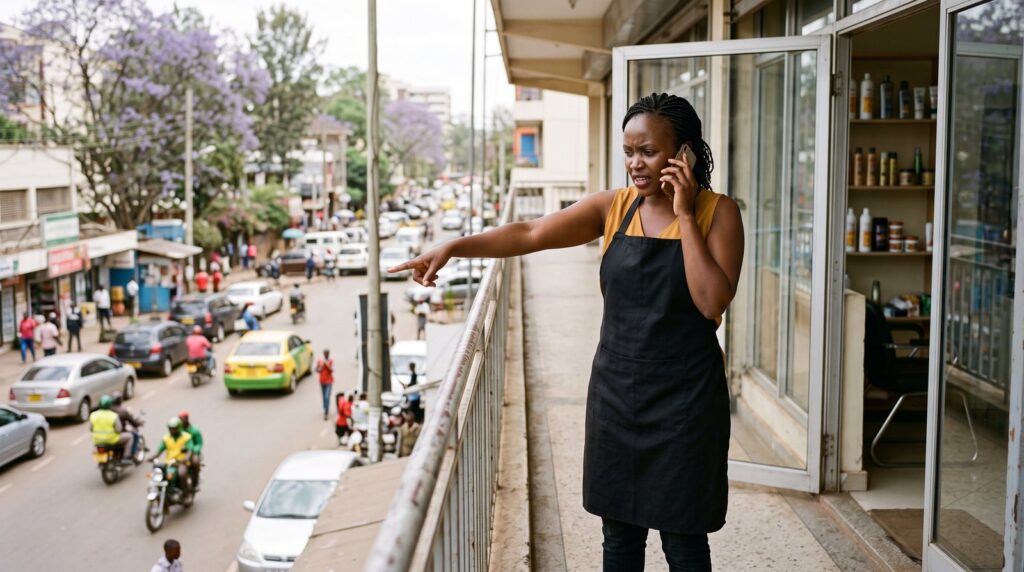
The third lost customer that Saturday called at 10:15 am.
“I’m standing exactly where Google Maps says you are,” she said. “It’s a car wash.”
Achieng had run Achieng’s Hair Studio on Moi Avenue for four years. Her regulars knew the way. New customers found her the way most people now find anything: they typed “hair salon near me” into their phone and followed the map.
Except the map was wrong. Somebody, years earlier, had added her salon to Google. Nobody could remember who. The pin sat two streets away. The phone number belonged to the shop that had been there before her. The listing said she closed at 5 pm on Saturdays, her busiest day, when she worked until 8. And three one-star reviews said the same thing: “Number doesn’t go through.”
Across the road, a newer salon with a complete profile and more than a hundred reviews came up first, every time.
That night, after the last client left, Achieng searched for how to fix it. This is what she learned.
The short answer
- A Google Business Profile (it used to be called Google My Business) is your free listing on Google Search and Google Maps: your location, hours, phone number, photos and reviews.
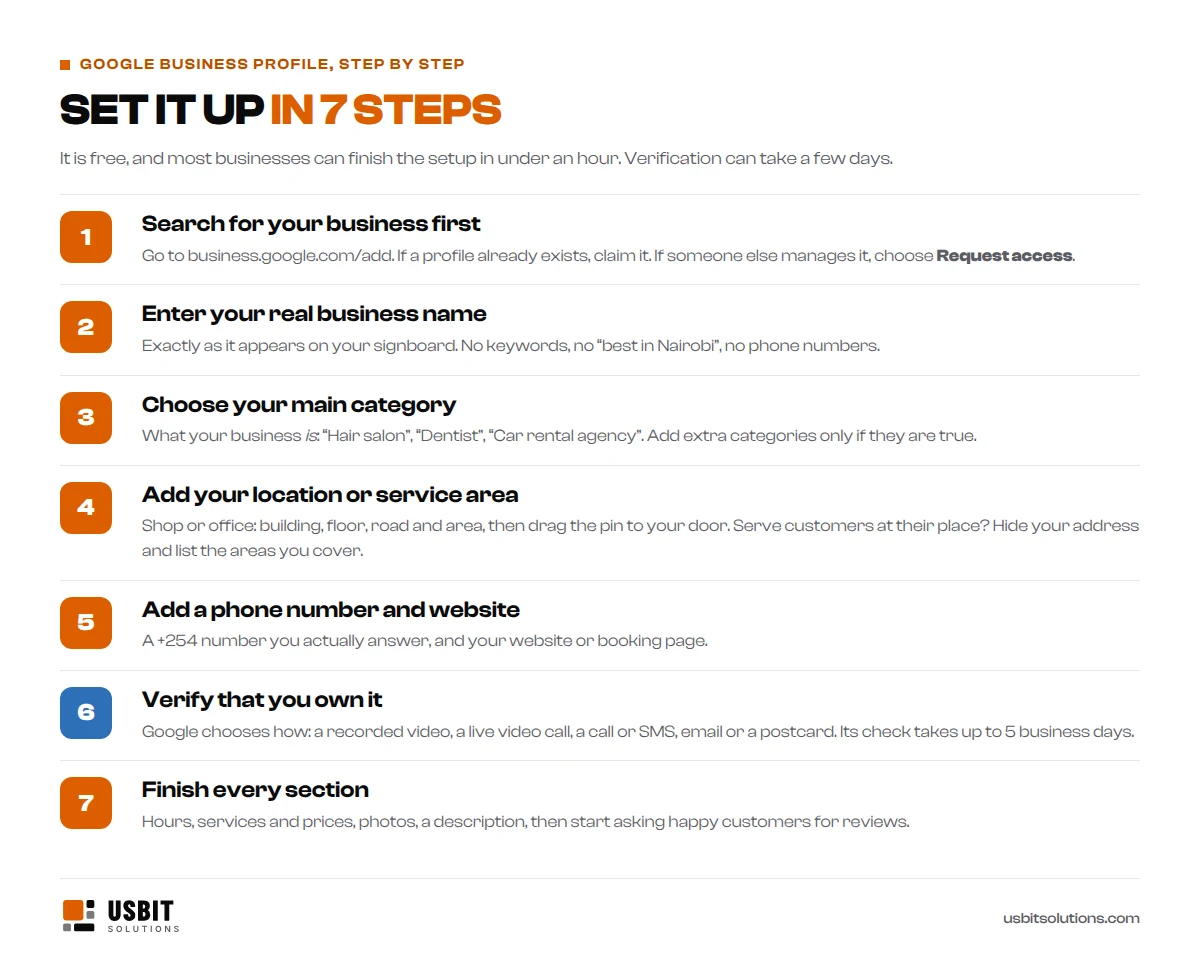
- To set one up, go to business.google.com/add, search for your business, and claim it if it already exists. Add your real name, category, location or service area, phone number and website.
- Then verify it. Google chooses the method: often a short video of your premises, otherwise a phone call or SMS, email, a live video call or a postcard. Google’s check takes up to 5 business days.
- Finally, complete every section and start asking customers for reviews.
It costs nothing. The setup takes under an hour; verification can take a few days.
What is a Google Business Profile?
When someone searches for “dentist in Kilimani”, “car hire Nakuru” or “hair salon near me”, Google usually shows a map with a short list of businesses before any website. Each of those businesses has a Google Business Profile. It shows customers where you are, when you are open and how to reach you, and it lets them call, get directions or read reviews with one tap.
Google renamed Google My Business to Google Business Profile a few years ago, so if you see either name, it is the same thing.
It matters more than most owners think. According to Google, customers are 70% more likely to visit, and 50% more likely to consider buying from, businesses with a complete profile, and 2.7 times more likely to see them as reputable.
Before you start: check whether you are already on Google
This is the step most guides skip, and it is the one that caught Achieng. Open Google Maps and search for your business name. One of three things will happen:
- You are not there. Good: you will create a new profile.
- You are there, but nobody manages the profile. You will see an option such as “Own this business?” or “Claim this business”. Claim it rather than starting a new one.
- Someone else manages it. A former employee, an old web designer, a marketing agency, or a stranger. Choose Request access and fill in the form. Google emails the current owner, who has 3 days to respond. If they do not, you may get the option to claim and verify the profile yourself, although Google says that option is not always available.
Achieng requested access. Nobody replied. Three days later, the email from Google had a new button: Verify.
Whatever you do, do not create a second profile for the same business. Duplicates split your reviews, confuse customers, and Google may merge or remove them.
How to set up your Google Business Profile, step by step
1. Sign in with an account the business owns
Use a Google account that belongs to the business, not your web designer’s or a staff member’s personal Gmail. People come and go. If someone else helps you, add them as a manager in the profile settings instead of sharing your password. Then go to business.google.com/add.
2. Enter your real business name
Use your name exactly as it appears on your signboard, receipts and website. Google’s guidelines do not allow extra keywords, locations, phone numbers or slogans in the name. “Achieng’s Hair Studio” is right. “Achieng’s Hair Studio – Best Braids Nairobi CBD” can get a profile suspended.
3. Choose your main category
Pick the category that says what your business is: “Hair salon”, “Dentist”, “Car rental agency”, “Hardware store”. It is one of the strongest signals Google uses to match you with searches. You can add a few extra categories later, but only ones that are true, and Google advises using as few as possible.
4. Add your location, or the areas you serve
Kenyan addresses rarely have street numbers, so write the address the way a customer would find you: building name, floor, road and area, for example “1st Floor, Example House, Moi Avenue, Nairobi CBD”. Then, and this is the part that fixed Achieng’s car wash problem, drag the pin to your exact entrance. If your road has no name, Google Maps gives every spot a short Plus Code you can use.
If you serve customers at their place, as a plumber, mobile mechanic, cleaner or caterer does, you are a service-area business. Google asks you to hide your address and list the areas you cover instead, such as Westlands, Kilimani and Lavington. You still need a real address for verification; customers just will not see it.
Two things are not allowed: P.O. Box numbers as your address, and virtual offices without staff and signage. Plenty of Kenyan businesses use a P.O. Box on their letterhead. It cannot go on Google.
5. Add your phone number and website
Use a +254 number that someone actually answers during your opening hours, and the same number that is on your website and signboard. Add your website, or a booking page if you have one. No website yet? Your profile still works, but a website gives Google more to go on and gives customers somewhere to go. Our guide to what a website costs in Kenya explains the options.
6. Verify, then 7. finish every section
These two deserve their own sections.
How Google Business Profile verification works in Kenya
Verification is how Google confirms that your business is real and that you run it. Until it is done, your profile will not show properly on Search and Maps. You do not get to choose the method. Google offers one or more of these, depending on your business and your account:
- Video recording: a short, continuous video of your premises, filmed live in the app. This is now the method many new businesses are offered.
- Live video call with a Google support agent, during your business hours.
- Phone call or SMS to your business number. Automated phone menus will not receive the code.
- Email to an address shown on the verification screen.
- Postcard with a code. Google says most arrive within 14 days and codes expire after 30. Post in Kenya can be slower, so if another method is offered, it is usually quicker.
Google then takes up to 5 business days to review it. While you wait, do not change your business name, address or category.
How to pass video verification
Achieng was offered video. She almost failed it the first time: she filmed the signboard, stopped, then started again inside. Google wants one unbroken take.
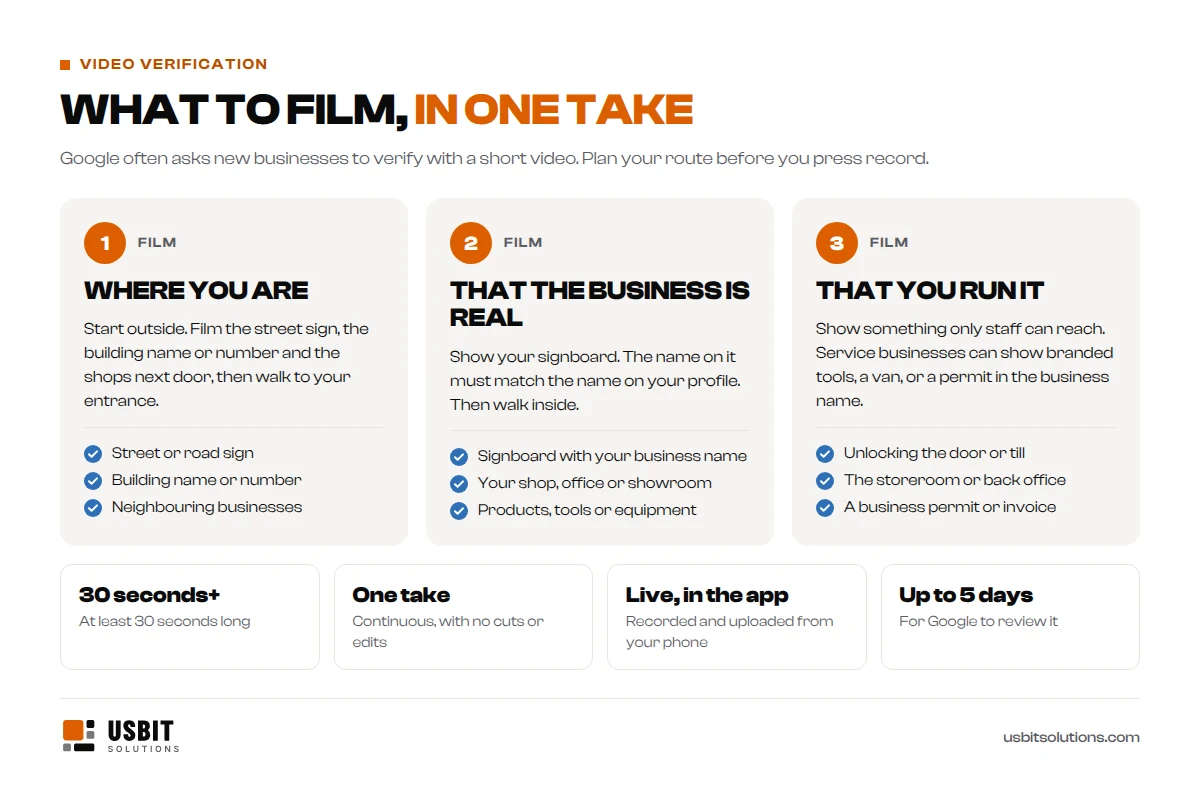
According to Google’s video verification rules, the video must be at least 30 seconds long, recorded and uploaded from your phone through your Business Profile, in one continuous take with no edits. It must show three things:
- Where you are: street signs, the building, neighbouring businesses or familiar landmarks.
- That the business exists: your shop front, showroom or signboard, with the same name as your profile.
- That you manage it: something only staff can access, such as opening the till, the storeroom or the kitchen. Service businesses can show branded tools or a van, or a permit or invoice in the business name.
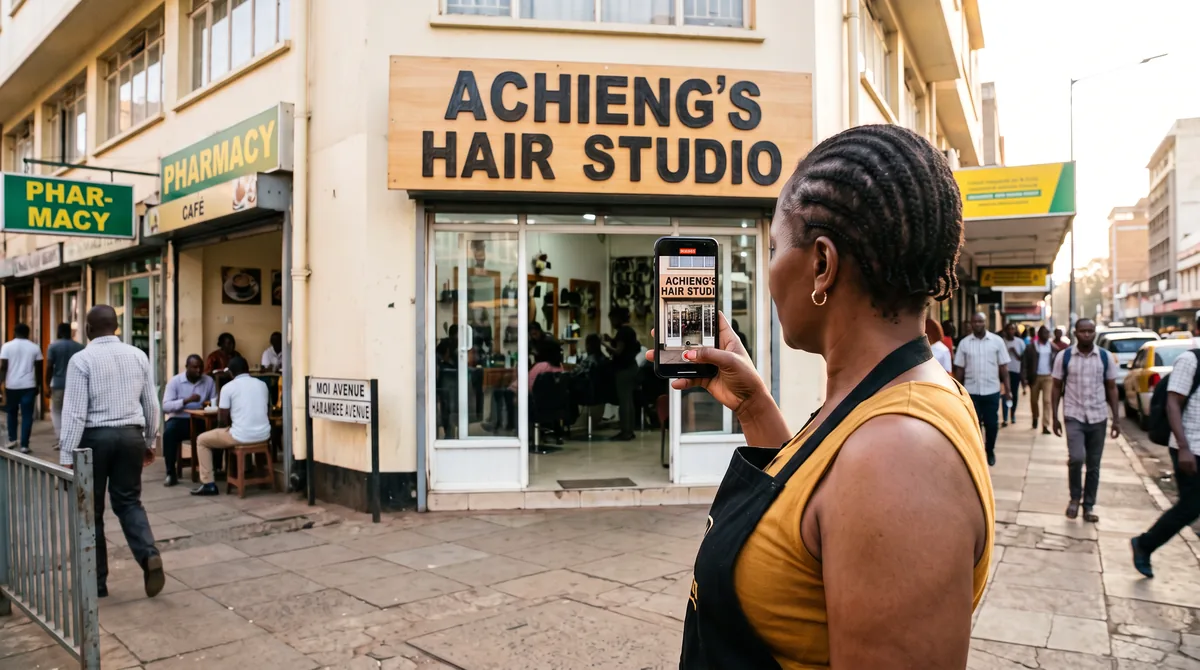
On her second try, Achieng started at the Moi Avenue street sign, panned across the pharmacy next door to her signboard, walked in past the chairs, unlocked the till drawer and opened the storeroom shelves of products. Fifty-two seconds, one take, in daylight with the salon open. Four days later, an email arrived: her business was verified.
If your video is not accepted, you will see a Review issues message. Read what is missing, fix it, and try again, or use another method if Google offers one.
After verification: complete every section
A verified profile with half its sections empty is like a shop with the shutters half down. Google says complete and accurate profiles are more likely to show up in local results. Work through these:
- Hours, plus special hours for public holidays such as Madaraka Day, Jamhuri Day and Christmas.
- Services or products, with prices in shillings where you can.
- A description of what you do, who for and where, in plain words.
- Photos: your entrance from the street (so people recognise it), the inside, your team and your work. Real photos, not stock images.
- Booking or WhatsApp: add a booking link if you use one. If your profile offers a Chat option, which Google is rolling out region by region, you can link WhatsApp.
- Updates: short posts about offers, new services or events keep the profile fresh.
Achieng added a photo of the building entrance, a dozen photos of her best braids and locs, her price list, and her real Saturday hours. It took one evening.
How Google decides who shows up first
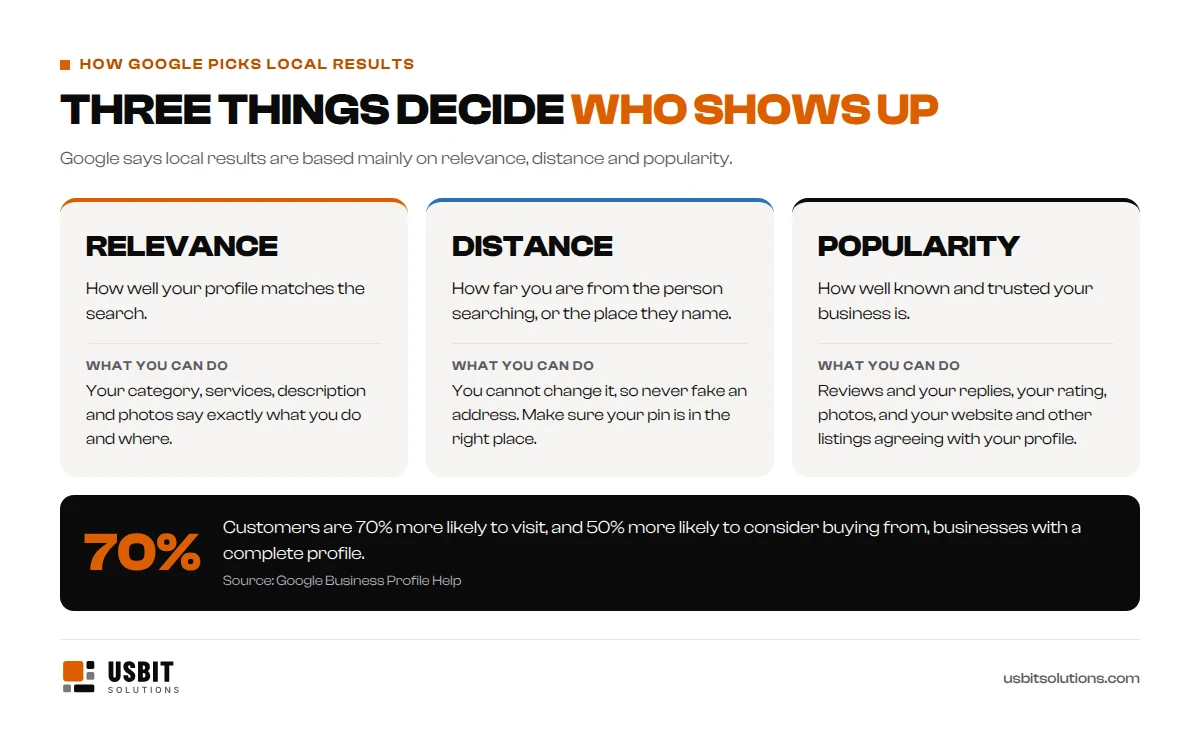
Google says local results are based mainly on relevance, distance and popularity. You cannot move your shop closer to every customer, and you should never fake an address to try. But you can make your profile match what people search for, and you can earn the reviews and reputation that make Google trust you. That is where the salon across the road had been beating Achieng.
It also helps when your name, address and phone number match everywhere: on your website, Facebook page and business directories. If Google finds three different phone numbers for you, it has less reason to trust any of them.
How to get more Google reviews, the right way
Reviews are the part customers read most, and the part most businesses neglect.
- Ask everyone, at the right moment. In your profile, choose Ask for reviews to get a short link. Send it on WhatsApp after the service, and print it as a QR code for your counter.
- Reply to every review, good or bad, politely and within a few days. Google says replies show you value feedback.
- Never pay or bribe for reviews. Google’s policy does not allow offering discounts or freebies for reviews, or asking only your happy customers. It can remove reviews and stop new ones appearing on your profile.
- Report fake reviews with the Report review option. Then reply calmly anyway, because other customers will read your answer.
Achieng replied to the three old one-star reviews: “Sorry, that was the previous shop’s number. Our correct number is now on this page. Karibu!” Then she put a QR code on every mirror station.
Common mistakes Kenyan businesses make
- Keywords in the business name, such as “Best Plumber Nairobi”. It can get the profile suspended.
- The wrong pin, or an old phone number nobody answers.
- Letting someone else own the profile. If the designer or employee who set it up leaves, you can lose access. Make sure you are the primary owner and add others as managers.
- A P.O. Box or virtual office as the address. Neither is allowed.
- Different details on different sites: the website says one number, Facebook another, the directory a third.
- Setting it up and forgetting it. Holiday hours never updated, reviews never answered, photos from 2019.
- Creating a new profile instead of claiming the old one, which leaves duplicates behind.
Achieng’s Saturdays now
Three months later, the profile’s Performance page told the story: calls, direction requests and website clicks, all from people who had never heard of her before they searched. Her rating had climbed past 4.7, one honest review at a time.
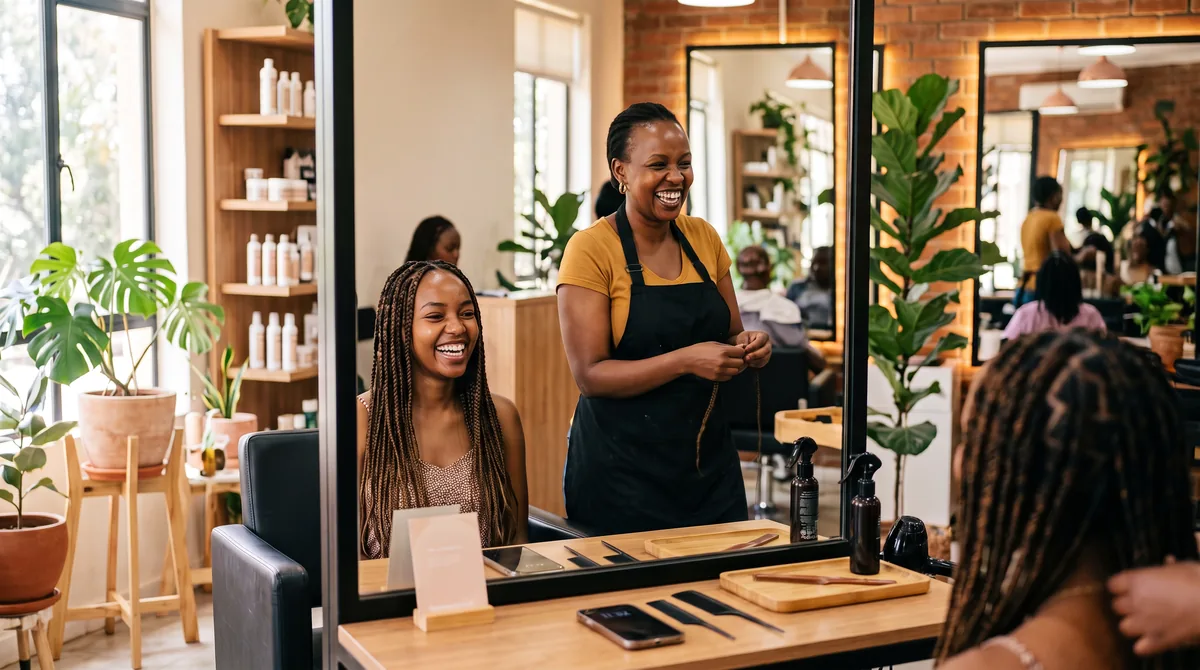
On a busy Saturday in December, a new client sat down in the chair and said, “Google brought me straight to your door.” Nobody has been sent to the car wash since.
Achieng is a composite of the business owners we work with. The steps, rules and timings in this guide come from Google’s own help pages.
Want help with your Google Business Profile?
Our Local SEO package, from KSh 15,000 a month, includes Google Business Profile optimisation, listings on more than 50 directories, review management and monthly reports. Not sure where you stand? Start with our free SEO health check, or compare every package on our pricing page.
Your profile works best with a website behind it: see what a website costs in Kenya and what hosting costs, and why both accounts should be in your name.
Google Business Profile in Kenya: FAQs
Is Google Business Profile free in Kenya?
Yes. Creating, verifying and managing a profile is free. You only pay if you hire someone to set it up or manage it for you. Be wary of anyone who says you must pay Google to be listed.
How long does Google Business Profile verification take?
Google’s review takes up to 5 business days after you submit. If Google sends a postcard, it can take up to 14 days to arrive, sometimes longer in Kenya, and the code expires after 30 days.
Can I list my business without a physical shop?
Yes. If you serve customers at their homes or offices, set it up as a service-area business, hide your address and list the areas you cover. You still need a real address for Google to verify you.
Can I use a P.O. Box as my address?
No. Google does not accept P.O. Boxes or mailboxes as a business address. Use your physical location, or hide your address if you are a service-area business.
Do I need a website for a Google Business Profile?
No, but it helps. A website gives customers more information, gives Google more reasons to show you, and is a place for the “Website” button to send people.
Someone else created my business profile. What do I do?
Search for your business at business.google.com/add and choose Request access. The current owner has 3 days to respond. If they do not, you may get the option to claim and verify the profile yourself.
Why is my business not showing on Google Maps?
Common reasons: the profile is not verified yet, it has been suspended for breaking a guideline, or it is not relevant or popular enough for that search. Search for your exact business name first; if it shows for that, the profile is working and needs strengthening.
Can I add WhatsApp to my Google Business Profile?
Customers can already WhatsApp the phone number on your profile. Where Google offers the Chat option, you can also add a WhatsApp chat button under Contact.
How do I get my business to the top of Google Maps?
There is no shortcut. Choose the right category, complete every section, keep your details accurate and consistent everywhere, add real photos, and earn genuine reviews and reply to them. A good website helps too.